
ArtFonts: Stylish Text
Galaxy studio appsPersonalization
4.6976.00 Reviews
- Version
- 2.1.1
- Installs
- 10.00M
- Age Rating
- Everyone
Screenshots
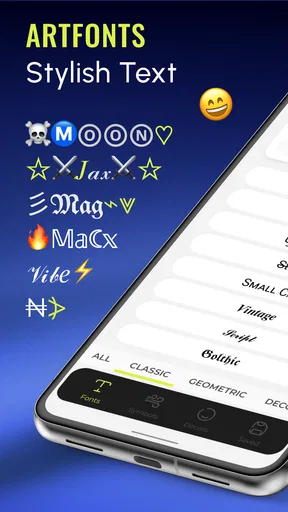
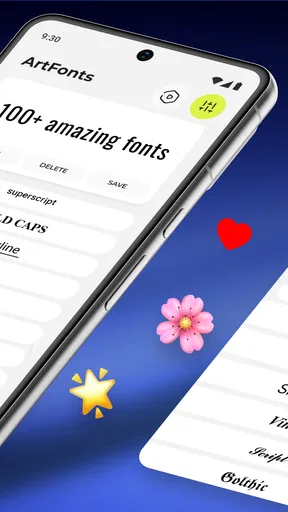
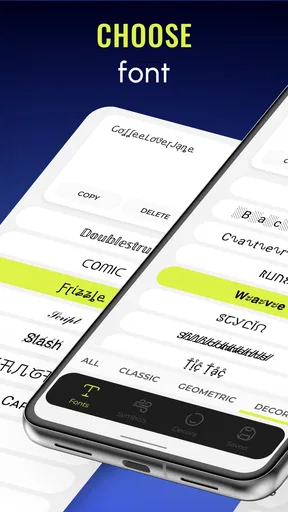
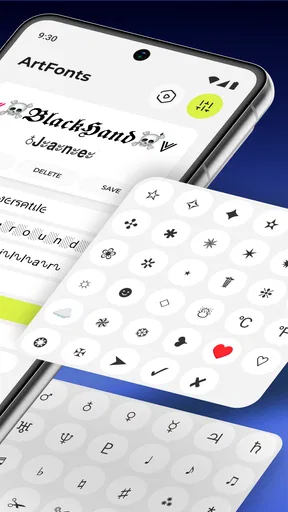
Our Review of ArtFonts: Stylish Text
 Analysis by Appyee
I think a text-styling app succeeds when it makes a small creative task feel easy rather than turning it into a design project. ArtFonts: Stylish Text is aimed at exactly that: giving everyday messages, profile details, and social posts a more distinctive look. Its appeal is quick experimentation, not professional typography, and that distinction matters. I’d recommend it to someone who enjoys adding personality to short text, while anyone needing a precise layout tool should look elsewhere.
A lightweight way to add personality
ArtFonts is a free personalization app from Galaxy studio apps. It has a 4.7 average from around 78,000 ratings, and it has passed 5 million installs. Those figures suggest it has found a broad audience, but the practical question is whether its style choices fit the places you actually write. The app is for Everyone, and its current version is 2.1.0, with Android 7.0 as the minimum operating system.
My main test for an app like this is not whether a decorative style looks striking in a preview, but whether it remains readable after I share it. A dramatic font can make a short name or one-line caption feel personal; a whole paragraph in the same style can become tiring. I’d treat ArtFonts as a finishing touch for selected words, rather than a replacement for the plain text I use for longer messages.
Where the quick workflow helps
The useful promise here is speed: enter a phrase, compare the visual treatments, and choose one that suits the mood. That works well for a social bio, a short status, or a message where the words are familiar and the presentation is the point. It also means I can experiment without opening a full graphic-design app, arranging a canvas, and adjusting a pile of layout controls.
A small but worthwhile habit is to test the finished text in the destination app before using it in something important. Different apps and devices may display stylized characters or spacing differently, and a preview in one place cannot guarantee the same appearance everywhere. For a profile, I’d check the result on the actual profile screen; for a message, I’d send a sample to myself first. That quick check can catch an awkward line break or a style that is harder to read than it looked while choosing it.
Creative control, with a readability trade-off
Styling gives short text more character, but restraint usually produces the better result. I’d use a distinctive treatment for a name, a heading, or a few words, then keep supporting details plain. This is especially useful in a bio, where a decorative opening can draw the eye without making every line compete for attention. If the goal is accessibility or effortless reading, standard text is often the better choice.
There is also a difference between making text look attractive inside a design and changing how text behaves in a message field. If you need exact control over a finished image, a graphics editor is the safer alternative because it gives you a visual canvas. If you want text that remains ordinary, searchable, and easy to edit, your keyboard’s regular text is simpler. ArtFonts makes more sense when the goal is expressive text that can be used in social and messaging contexts, rather than a carefully composed poster.
Who will get the most from it
I can see it fitting people who frequently refresh social profiles, enjoy giving messages a playful signature, or want to compare several looks before settling on one. It is less compelling for someone who rarely changes their writing style, prefers plain text, or needs consistent brand typography across polished designs. It is also not the tool I’d choose for long announcements: readability should win over decoration when a reader needs to absorb several paragraphs.
Think of a simple everyday use: you are updating a profile before sharing it with friends and want the first line to feel more like you. Rather than rebuilding the whole page as an image, you can try a few text treatments, keep the one that remains legible, and leave the rest untouched. That is the kind of small job where a dedicated styling app can be more convenient than a general design tool.
First Impressions: Interface and Usability
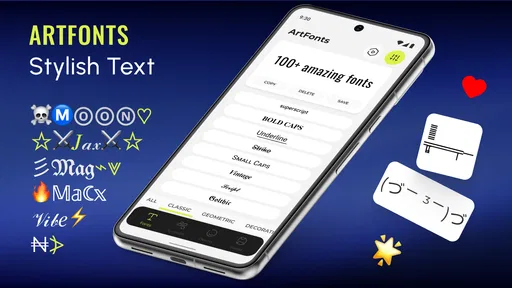
When I first opened ArtFonts: Stylish Text, I was greeted by a sleek and simple interface. No clutter, no confusion—just straightforward navigation. The homepage immediately showcases a variety of stylish fonts ready for you to experiment with. Whether you’re in a rush or just exploring, everything is right at your fingertips.
One thing I really appreciated was the smooth user experience. You don’t need to be tech-savvy to get the hang of it. Each feature is clearly labeled, making the app incredibly user-friendly. I was scrolling through the font options like a pro within minutes!
Diving into the Features
Now, let’s talk features. This app is packed with goodies. From bold and italic to quirky and elegant, the font choices are endless. I loved how easy it was to preview each style with my text before committing. It’s like trying on clothes but for words!
Another nifty feature is the text effects. You can add shadows, outlines, and even colors to your text. I spent way too much time playing with these options, but hey, it’s easy to get carried away when everything looks so cool.
Customization at Its Best
Customization is key, and this app gets it. Not only can you tweak the fonts, but you can also adjust the size and spacing to fit your needs perfectly. Whether you’re creating a standout social media post or a personalized message, ArtFonts: Stylish Text gives you the tools to make it happen.
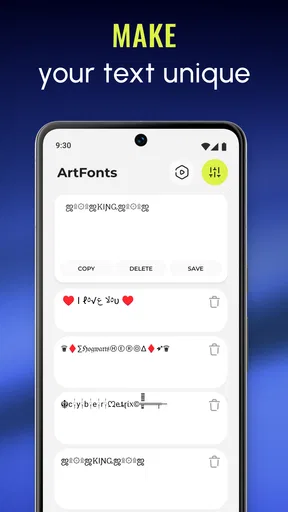
I also discovered a feature that lets you save your favorite styles. This comes in handy for those times when you find the perfect combo and want to come back to it later. It’s like having a personal stylist for your text!
Sharing and Beyond
Once you’ve crafted your masterpiece, sharing it is a breeze. The app allows you to seamlessly export your text to social media, messaging apps, or even save it to your gallery. I tried sending a few stylish messages to my friends, and they were all impressed by the creative flair.
There’s also an option to create catchy captions and bios. I revamped my Instagram bio in no time, and the feedback was amazing. If you’re looking to make a statement, this app provides all the tools you need.
Practical checks before sharing
For a caption, I’d keep the unusual styling to the opening phrase and leave important details—such as event information or a call to action—in plain text. That creates contrast without making the whole post difficult to scan. For a bio, I’d also check how the final lines wrap on the profile itself: a style that looks balanced in an editor can occupy more space once it is displayed elsewhere.
One helpful workflow is to save a style only after testing it in the place where you intend to use it. A favorite is useful when you return to the same visual identity, but it does not remove the need to check legibility in context. I’d keep a simple version of important text nearby too, especially for information I may need to edit later. Decorative text is best treated as presentation; plain text remains easier to revise and reuse.
When I’d choose another tool
If I were making a promotional graphic with several text blocks, exact alignment, or a specific visual hierarchy, I’d reach for a design editor instead. ArtFonts is better suited to short pieces of wording than to building a complete composition. Likewise, if a message needs to be universally easy to read, or if I expect to search and edit it later, I’d stick with standard characters. That is not a flaw so much as a sensible boundary for a focused personalization app.
It is worth remembering that a style can look good in one context and feel excessive in another. A playful treatment may suit a casual status but distract in a work-related message. I’d match the decoration to the audience and purpose, and avoid styling every line just because the option is available. The best result is often a small accent, not the maximum number of effects.
Cost and day-to-day expectations
The app is free to download, while optional in-app purchases range from $0.99 to $99.99 per item. I’d start by exploring the free experience and decide whether the styles I actually use justify any purchase, rather than paying simply because a particular option catches my eye. The listed range is broad, so it is sensible to review an item’s price in the app before confirming anything.
For a first-time user, the practical questions are straightforward: can I use the result in my usual social or messaging routine, will it stay readable, and do I need more than short decorative text? The sharing workflow is intended for those everyday destinations, but I would still verify the final appearance in the receiving app. If your main need is a poster, a logo, or carefully controlled typography, another kind of tool will fit better. If you simply want a quick way to try expressive text, this is a more direct place to start.
Final Thoughts
After spending some quality time with ArtFonts: Stylish Text, I can confidently say it’s a must-have for anyone looking to elevate their text game. It’s fun, easy to use, and offers a wide range of customization options. Whether you’re a social media enthusiast or just love playing around with fonts, this app is worth checking out.
So, if you’re ready to transform your texts from drab to fab, give ArtFonts: Stylish Text a try. I promise you won’t be disappointed!
Privacy and Permissions
See what permissions an app requests and how it handles your data.
- Wi-Fi connection information
- view Wi-Fi connections
- Other
- view network connections, full network access, control vibration, prevent device from sleeping, Google Play license check
Verdict
Strengths of ArtFonts: Stylish Text
- Diverse font styles available
- User-friendly interface design
- Quick sharing options
- Supports multiple languages
- Regular updates with new features
Limitations of ArtFonts: Stylish Text
- Contains ads in free version
- Limited features without subscription
- Occasional performance lags
- Some fonts require internet
- No desktop version available
Other Releases by Galaxy studio apps
View All
GPS Photo: With Location & Map
Travel & Local4.2

Word Office: Docs Reader
Productivity4.8

Credit Card : Wallet & NFC
Finance4.6

Wedding Invitation Card Maker
Events4.4
Similar Picks in This Category
View All
Microsoft SwiftKey AI Keyboard
SwiftKey4.3

Wallpapers
Google LLC4.1

Zedge™ Wallpapers & Ringtones
Zedge4.7

Yandex Browser with Alice AI
Direct Cursus Computer Systems Trading LLC4.3

Ringtone Maker:create ringtone
Big Bang Inc.4.7

Fonts Keyboard
Fonts Keyboard3.9
Frequently Asked Questions
What is ArtFonts: Stylish Text and what can I use it for?
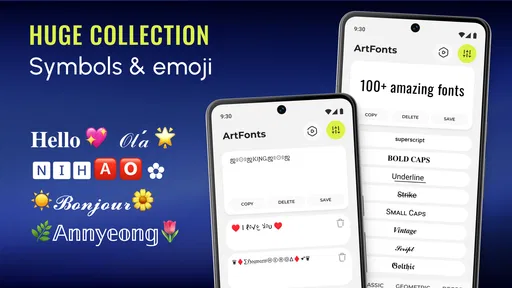
ArtFonts: Stylish Text is a versatile app that allows users to enhance their digital communication by providing a wide array of stylish fonts and text styles. Whether you're crafting social media posts, creating digital art, or personalizing messages, this app offers the tools to make your text stand out with artistic flair.
Is ArtFonts: Stylish Text compatible with all social media platforms?
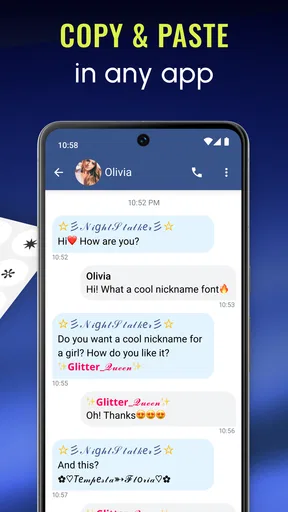
Yes, ArtFonts: Stylish Text is designed to be compatible with most social media platforms like Instagram, Facebook, Twitter, and WhatsApp. It allows you to copy and paste styled text into your posts and messages seamlessly, ensuring your content is both unique and eye-catching.
Does ArtFonts: Stylish Text offer in-app purchases or is it completely free?
ArtFonts: Stylish Text is available as a free download, offering a range of basic fonts and styles. However, for users looking to unlock premium features and exclusive fonts, the app provides in-app purchases. This ensures a flexible experience whether you prefer free or enhanced options.
How user-friendly is the ArtFonts: Stylish Text app for beginners?
ArtFonts: Stylish Text is designed with a user-friendly interface, making it accessible even for beginners. The app includes a simple navigation system and clear instructions, allowing users to easily explore and apply different font styles without any prior experience in graphic design.
Can I use ArtFonts: Stylish Text offline, or does it require an internet connection?
ArtFonts: Stylish Text can be used offline for applying and saving styles to your text. However, an internet connection is required for downloading additional font packs and accessing updates. This ensures you have the latest styles and features at your fingertips when connected.
